
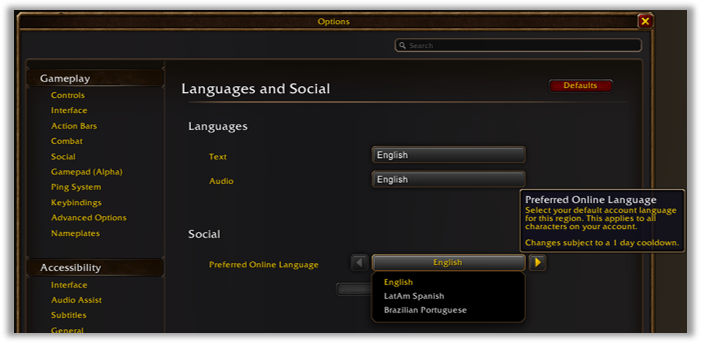
Language-preference and faction-balance settings shown in Blizzard's WoW Forever panel recap

System reference · checked 2026-09-16

Transmog and Visual Settings

Transmog is opt-in, and players can choose modern or Classic visual presets plus HD or SD character models.

Confirmed opt-in transmog and visual choicesPublished summary with explicit open questions

© Blizzard Entertainment. Official player-choice settings example; it does not depict transmog.

What Blizzard has described

Transmog is opt-in, and players can choose modern or Classic visual presets plus HD or SD character models.

  • Players can configure or disable transmog at transmogrifiers in certain cities; Classic Mode disables it on entry.
  • Transmog keeps item-type rules, and low-level characters cannot use high-level appearances until level 60.
  • HD models can use restored Classic animations, and official gamepad support is included among the player-choice options.
Still unpublished
  • The recaps do not publish the full appearance collection or every visual setting.

This reference records the checked panel recaps as of 2026-09-16. It is not a complete rules manual or a substitute for later patch notes.

← Back to Systems

Primary sources

Claims on this page are limited to these records.

  1. Blizzard EntertainmentChecked
    World of Warcraft: Forever What's Next Panel Recap
  2. Blizzard EntertainmentChecked
    World of Warcraft: Forever Deep Dive Panel Recap